Portfolio
How to add a stock to your portfolio.
Track a holding in Punji in under a minute. Pick the stock, enter your quantity, and Punji handles the cost, fees and live value for you. Here is every step.
2 min read · Updated · 27 Jun 2026
Step 1
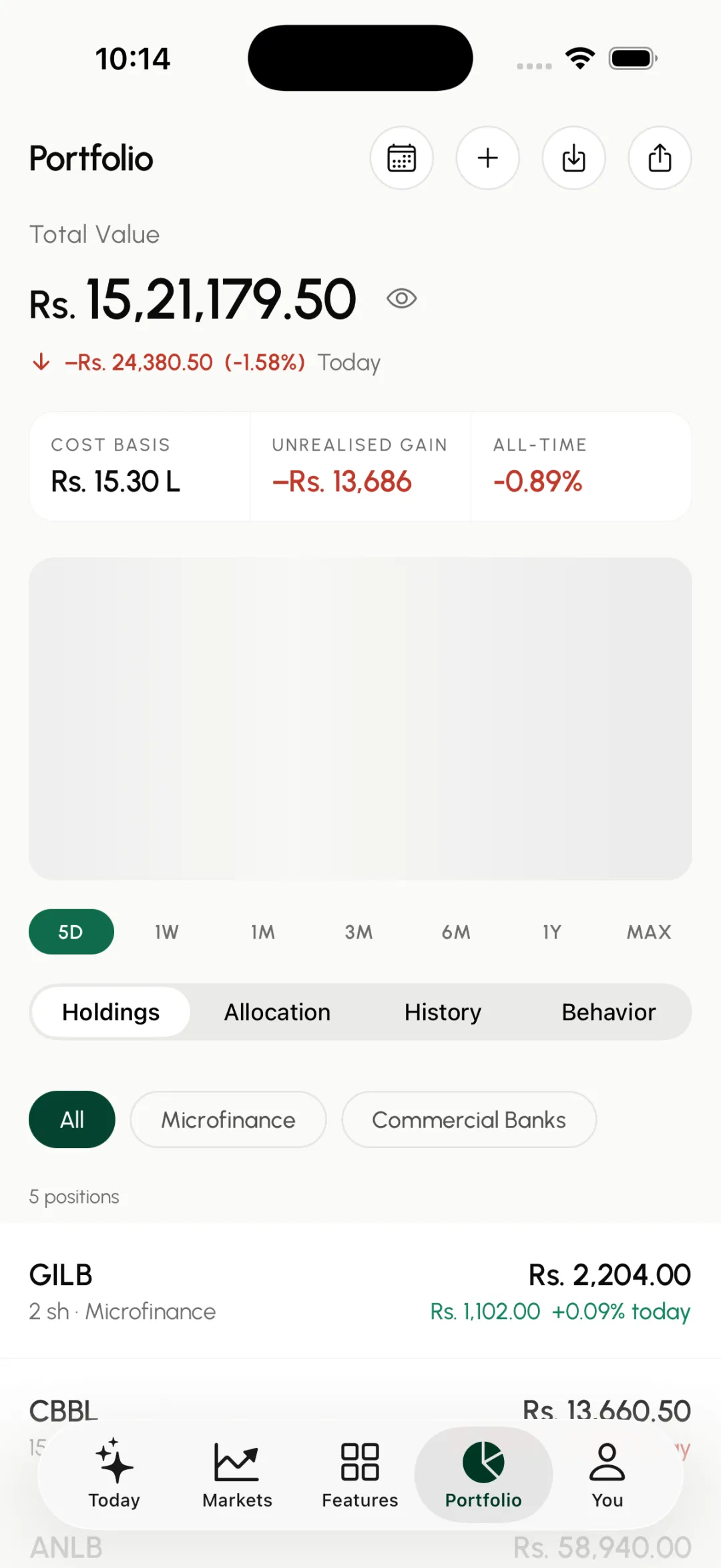
Open Portfolio and tap add
Go to the Portfolio tab and tap the plus button at the top right.
Step 2
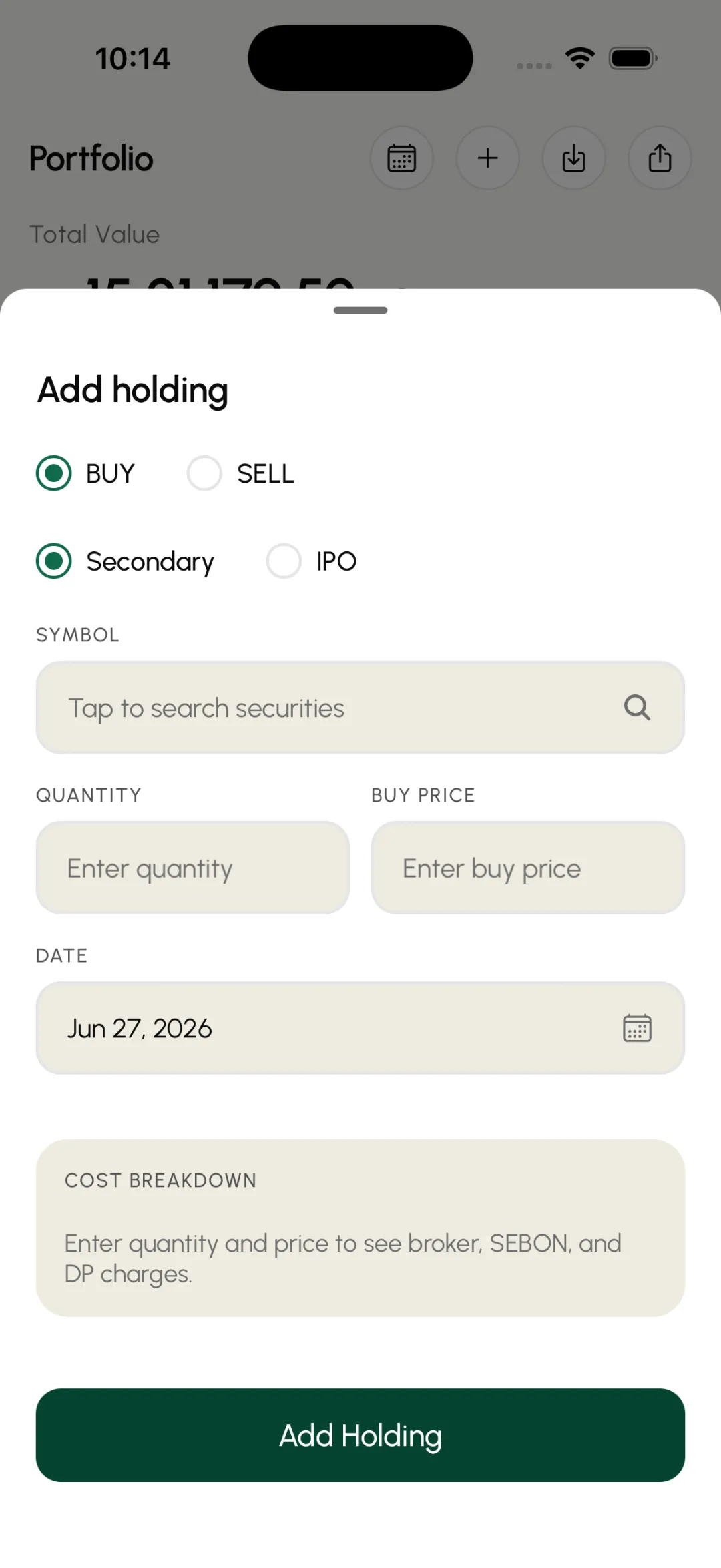
Tap the symbol field
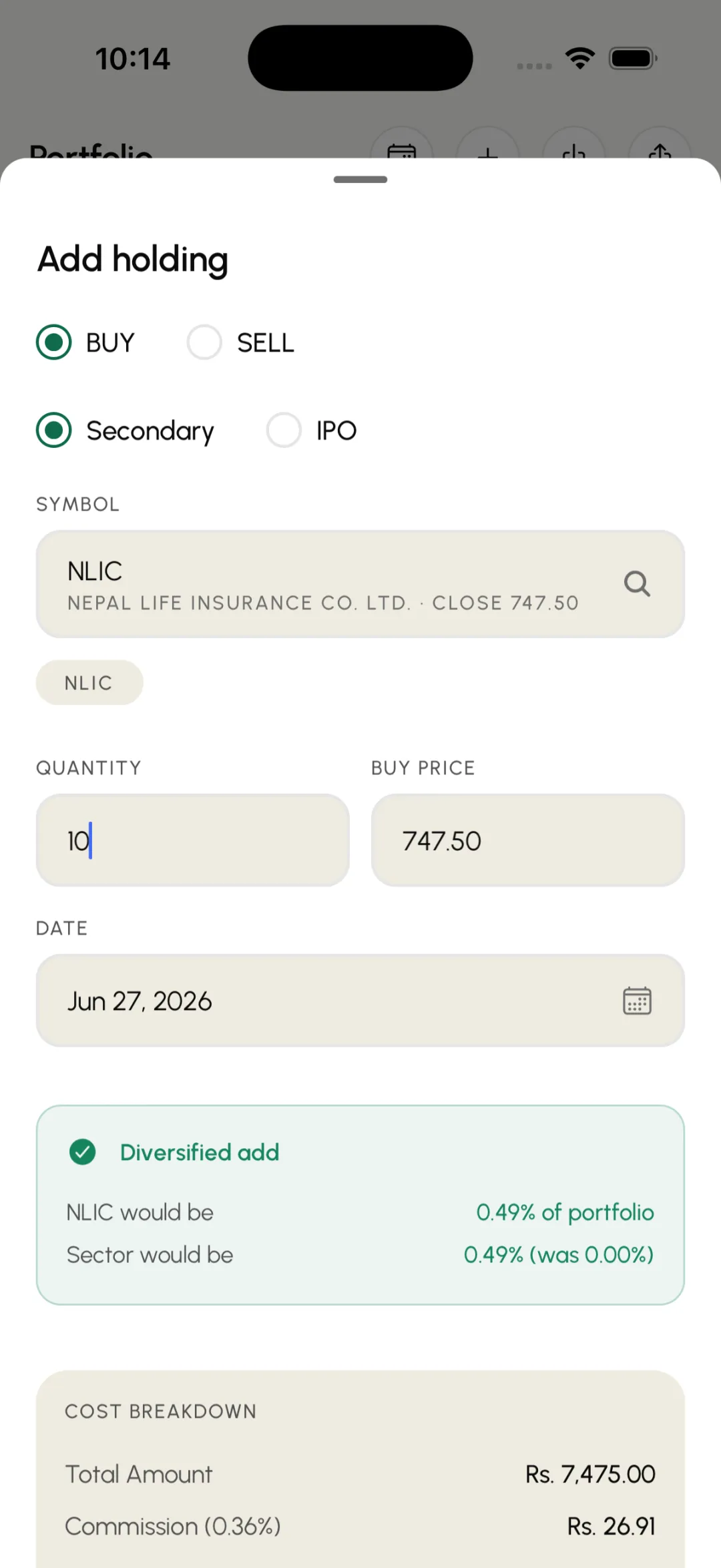
The Add holding sheet slides up. Keep it on Buy for a new position, then tap the symbol field.
Step 3
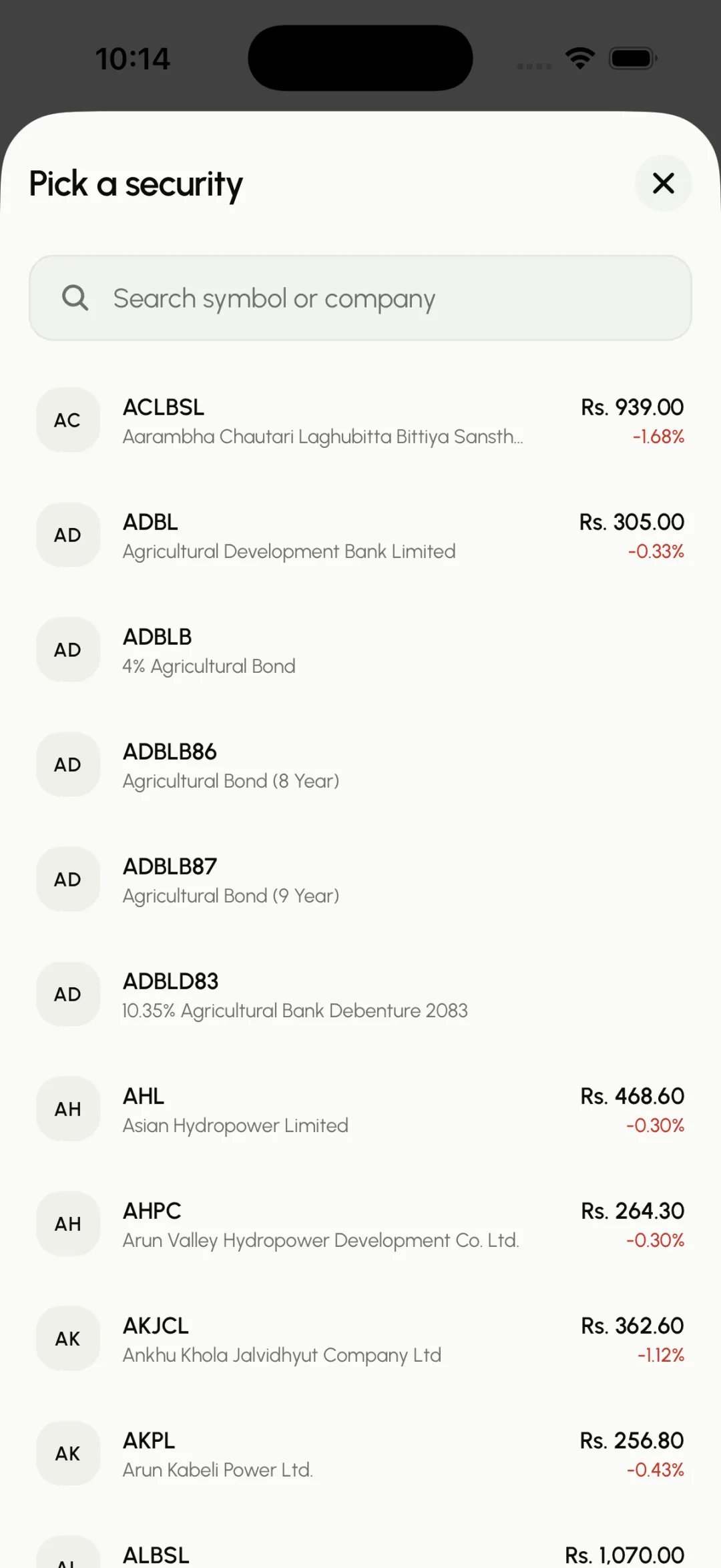
Search for the stock
Start typing the company name or symbol. Matches appear as you type.
Step 4
Pick it from the results
Tap the stock you want from the list to select it.
Step 5
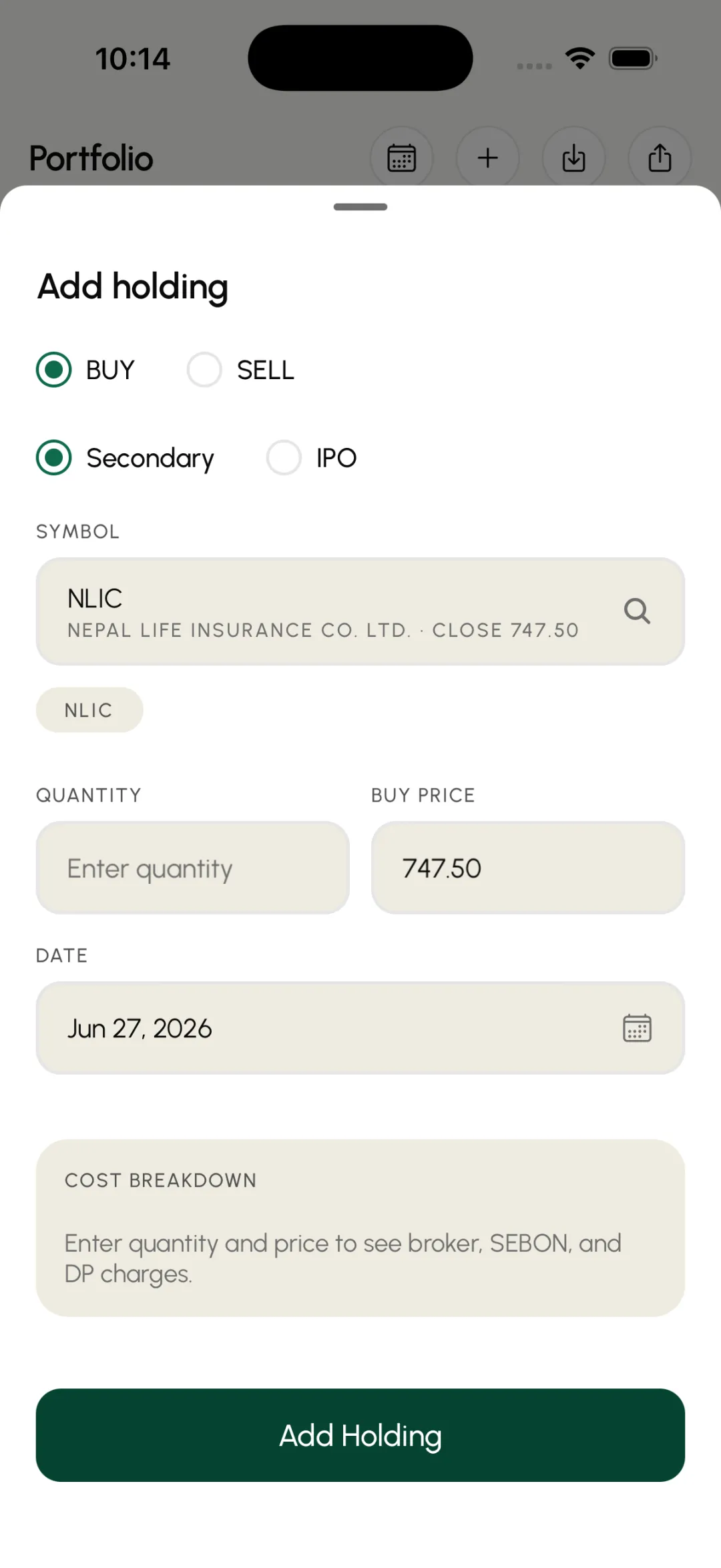
Enter your quantity
Type how many shares you hold.
Step 6
Check the buy price
The buy price is prefilled with the latest market rate. Set it to the price you actually paid if it was different.
Step 7
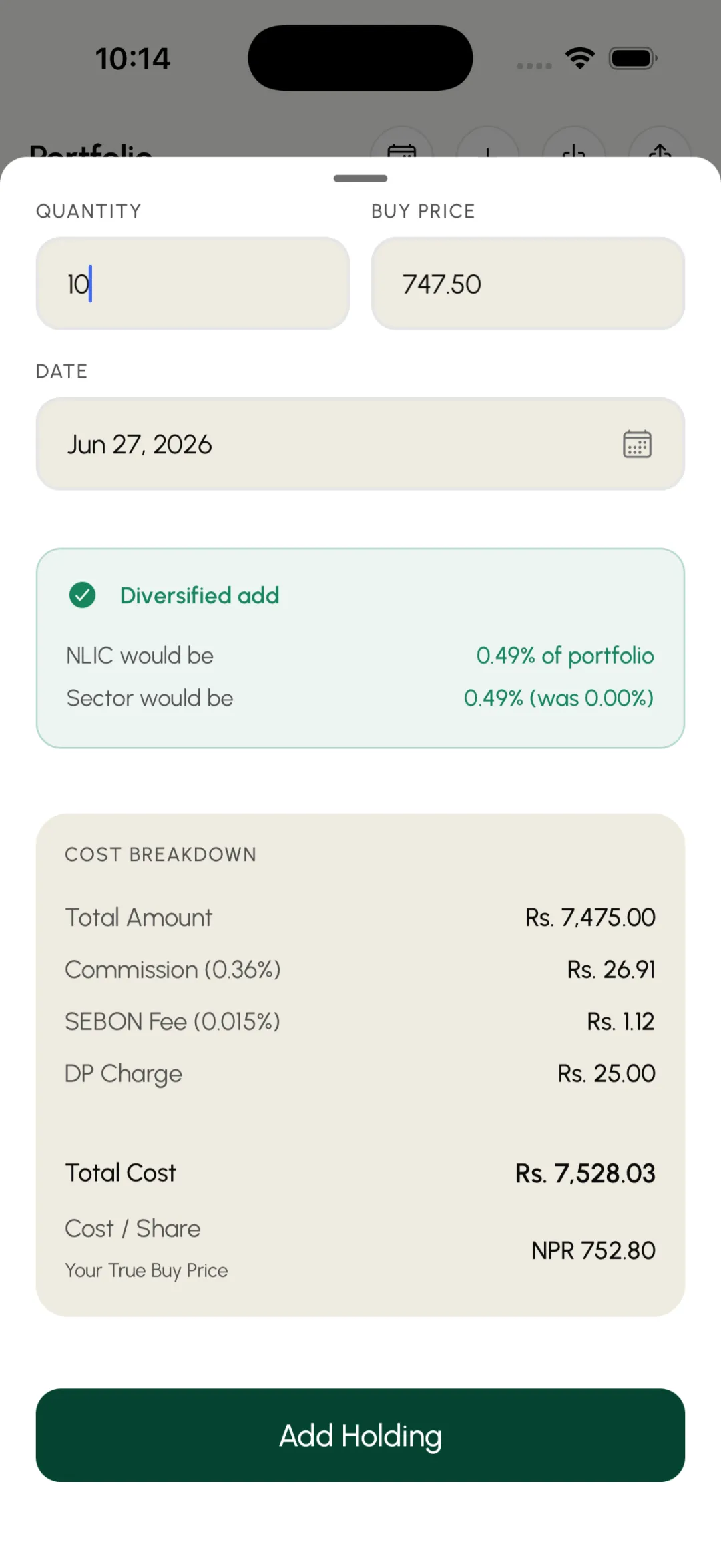
Review and save
Punji shows the full cost with broker, SEBON and DP charges. Tap Add Holding.
Step 8
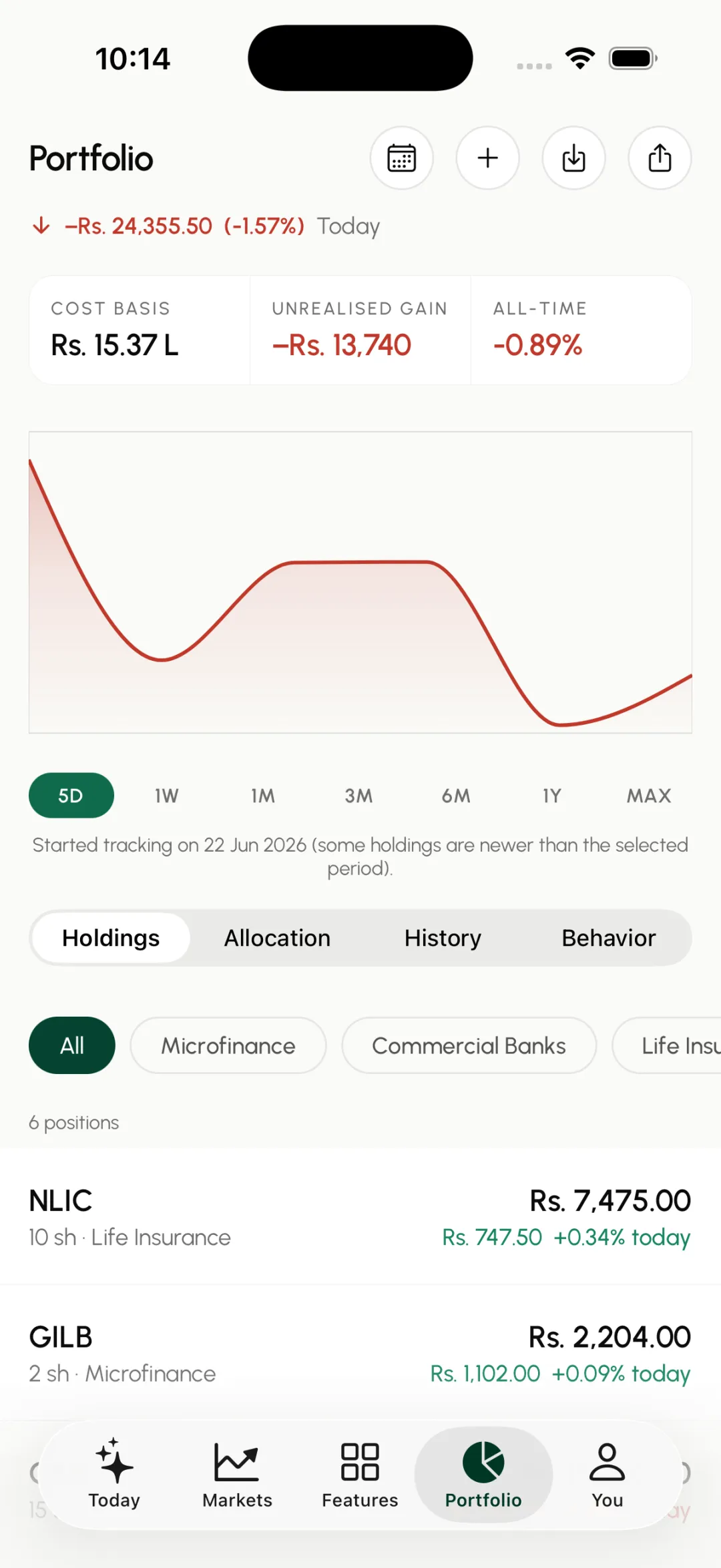
Done
Your stock now appears in your holdings with its live value and daily change.