Watchlist
How to use your watchlist.
Keep the stocks you care about in one place. Add them to your watchlist to follow live price and daily change, see them on Today, and open them in a tap. The fastest way is the star on any stock, but here is the full path including how to remove one.
2 min read · Updated · 28 Jun 2026
Step 1
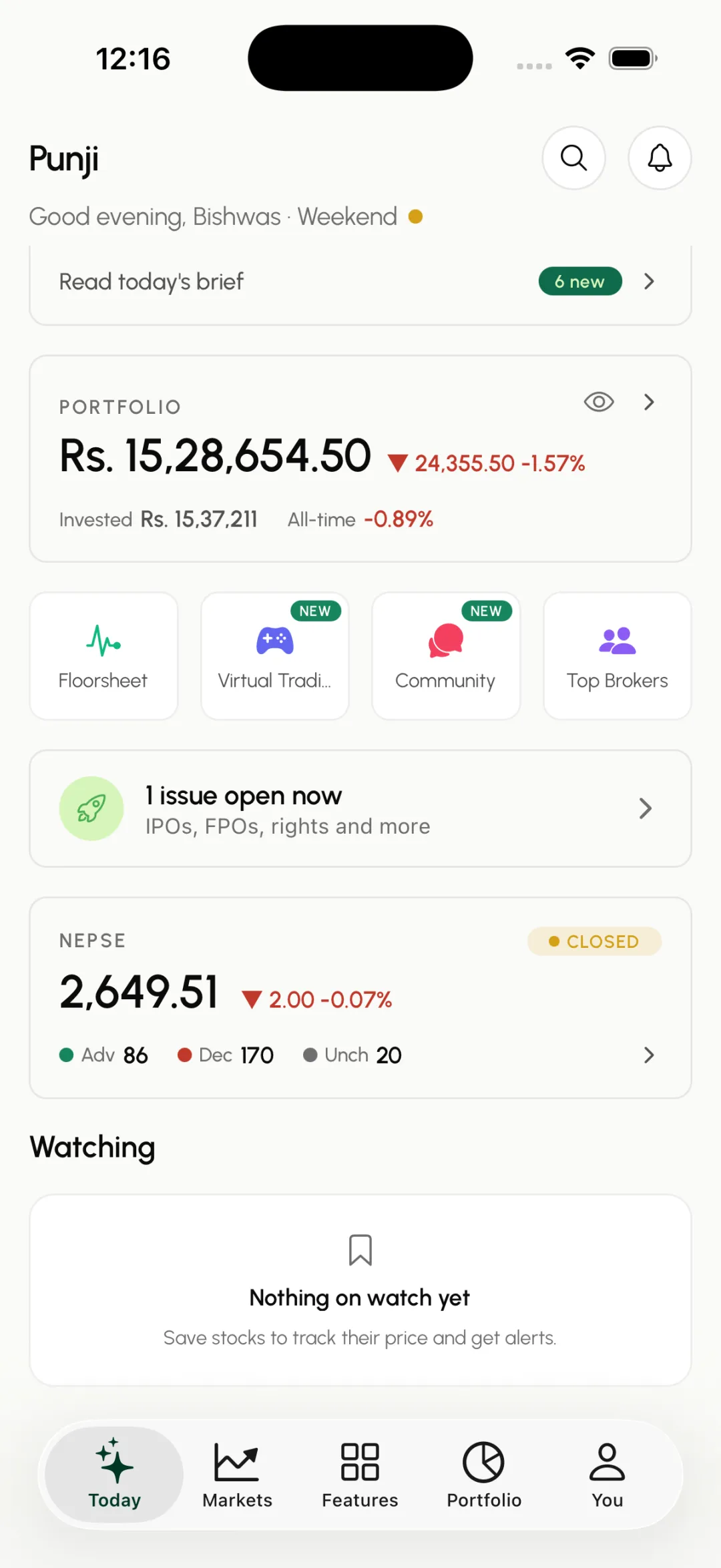
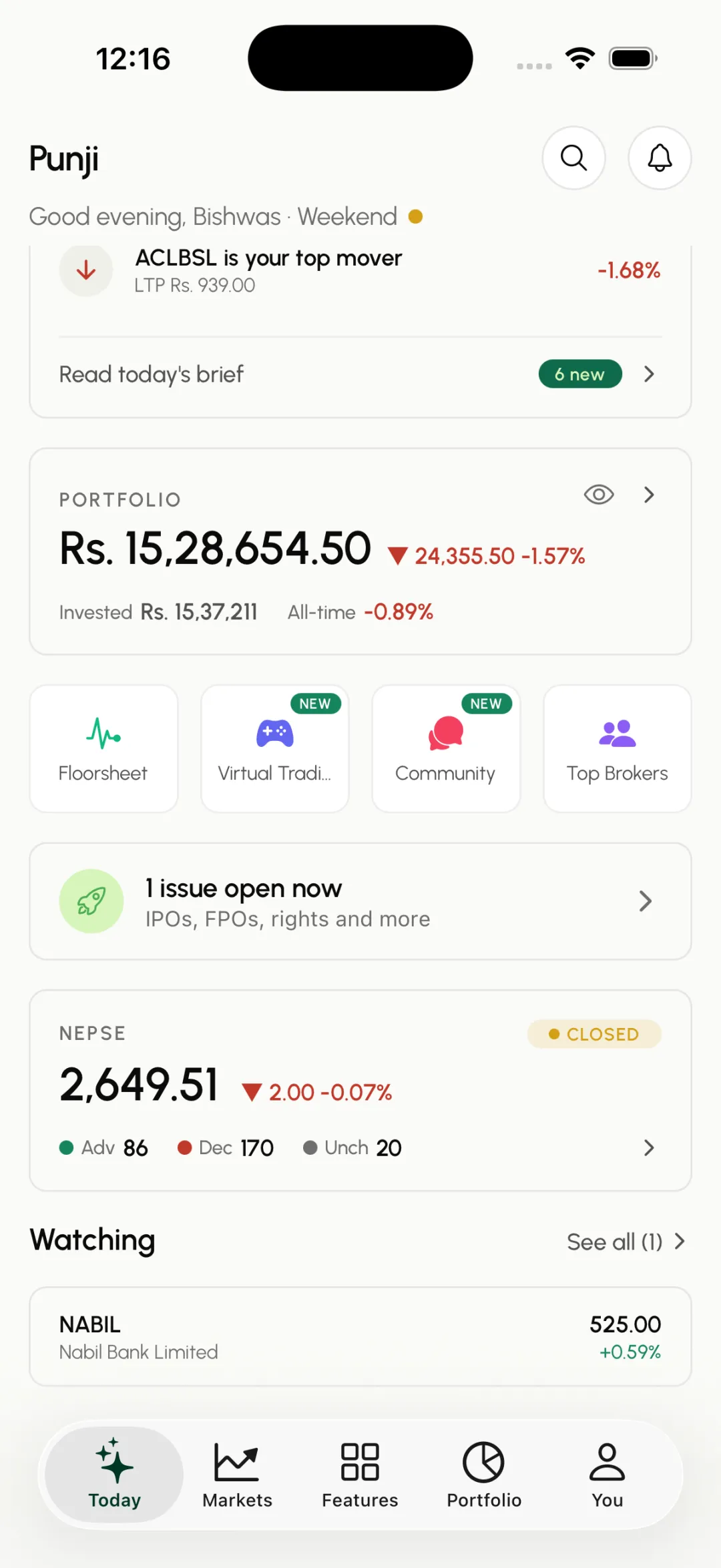
Open Watching on Today
On the Today tab, scroll down to the Watching section and tap it to open your watchlist.
Step 2
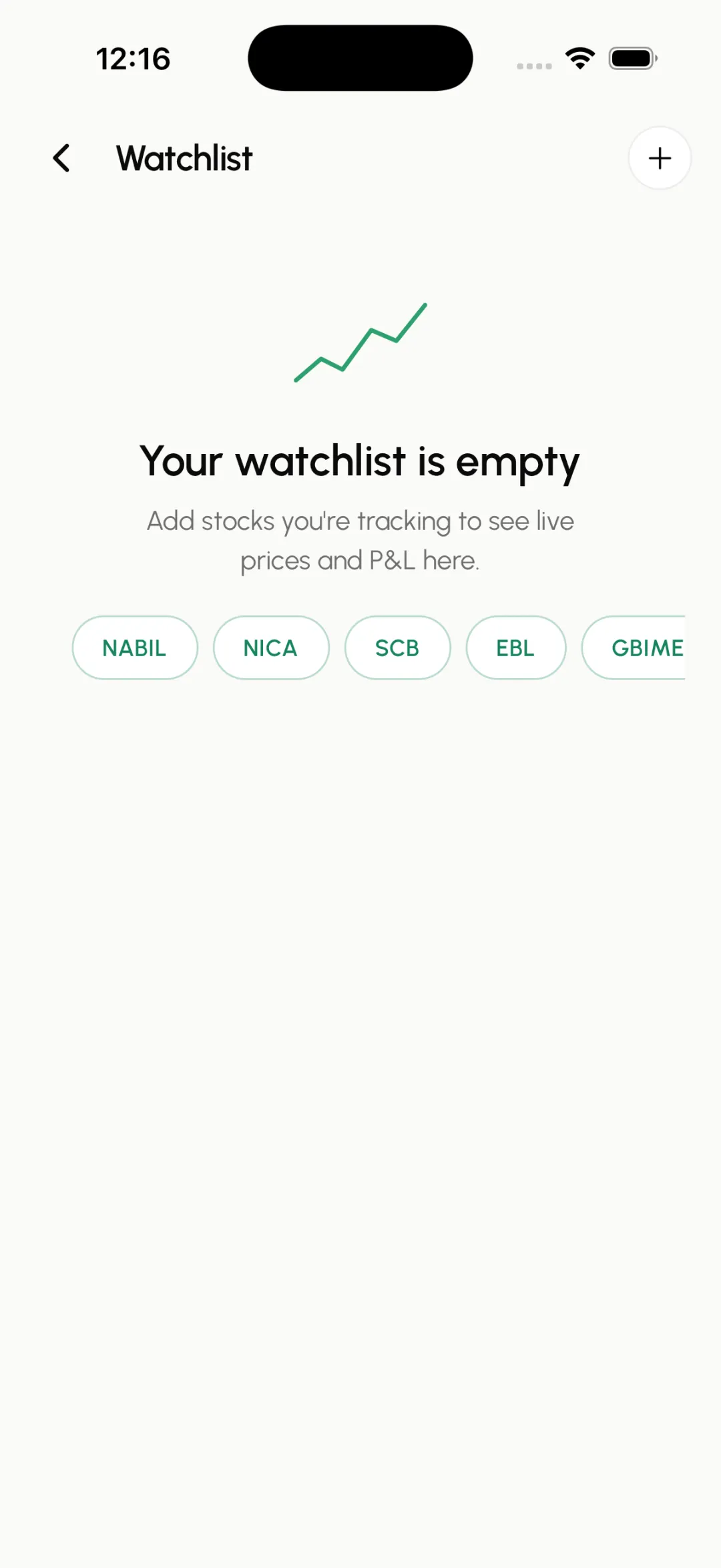
Tap the + to add
On the Watchlist screen, tap the plus button at the top right. (Quicker: tap the star on any stock row, or the star on a stock page, to add it instantly.)
Step 3
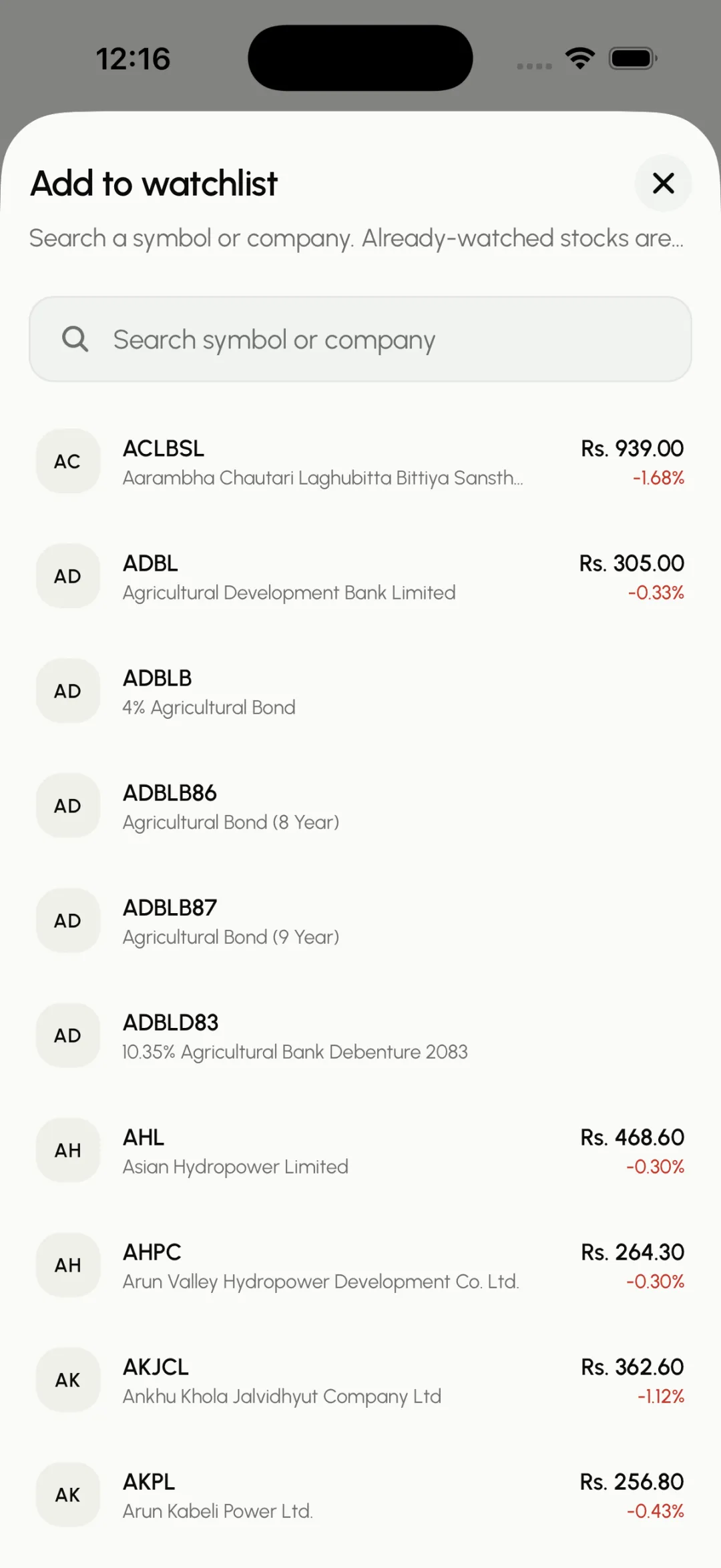
Search for a stock
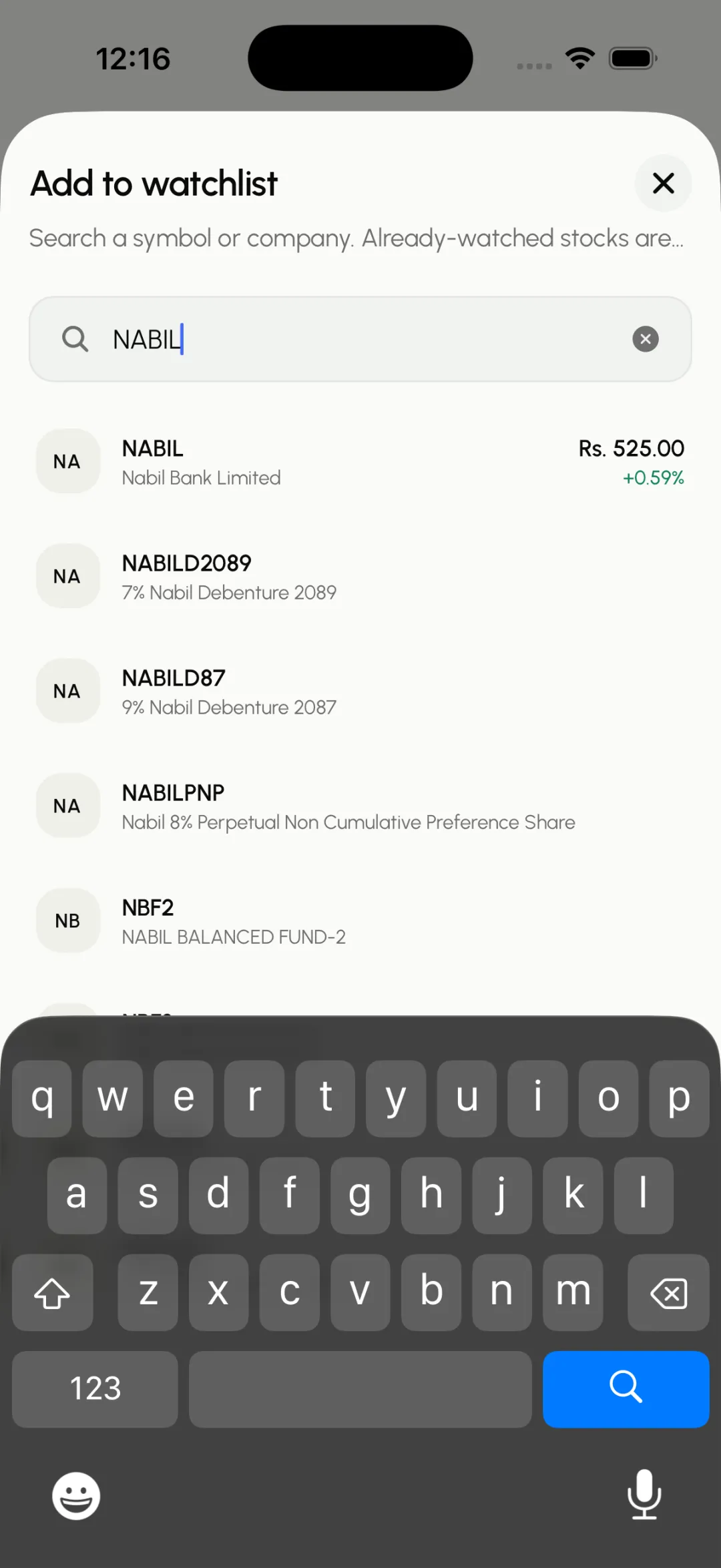
Start typing the company name or symbol. Matches appear as you type.
Step 4
Pick it from the list
Tap the stock you want to add it to your watchlist.
Step 5
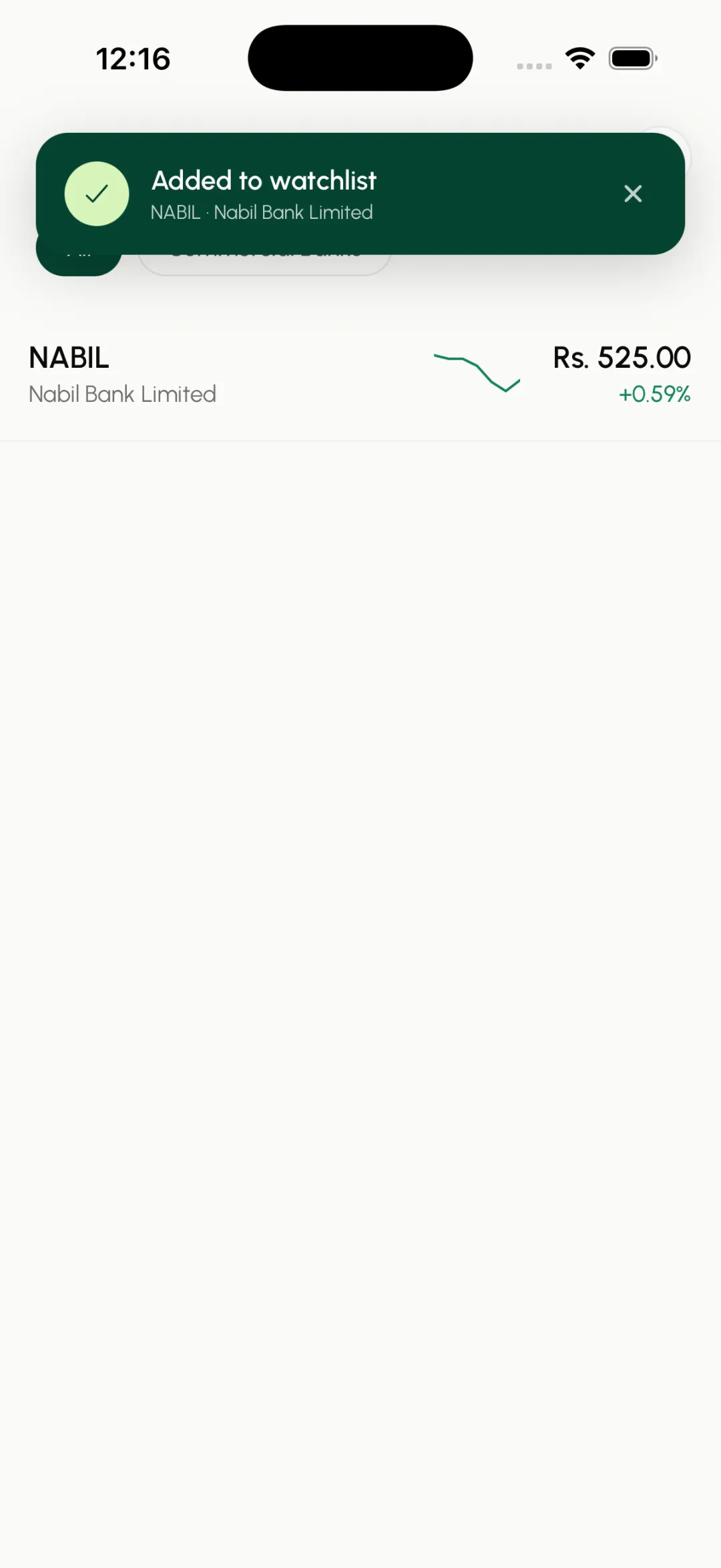
It is on your watchlist
The stock now appears with its live price and daily change. When your list is empty, popular stocks also show as one-tap quick-add chips.
Step 6
See it on Today
Your watched stocks also show up in the Watching section on Today, so your shortlist is always one glance away.
Step 7
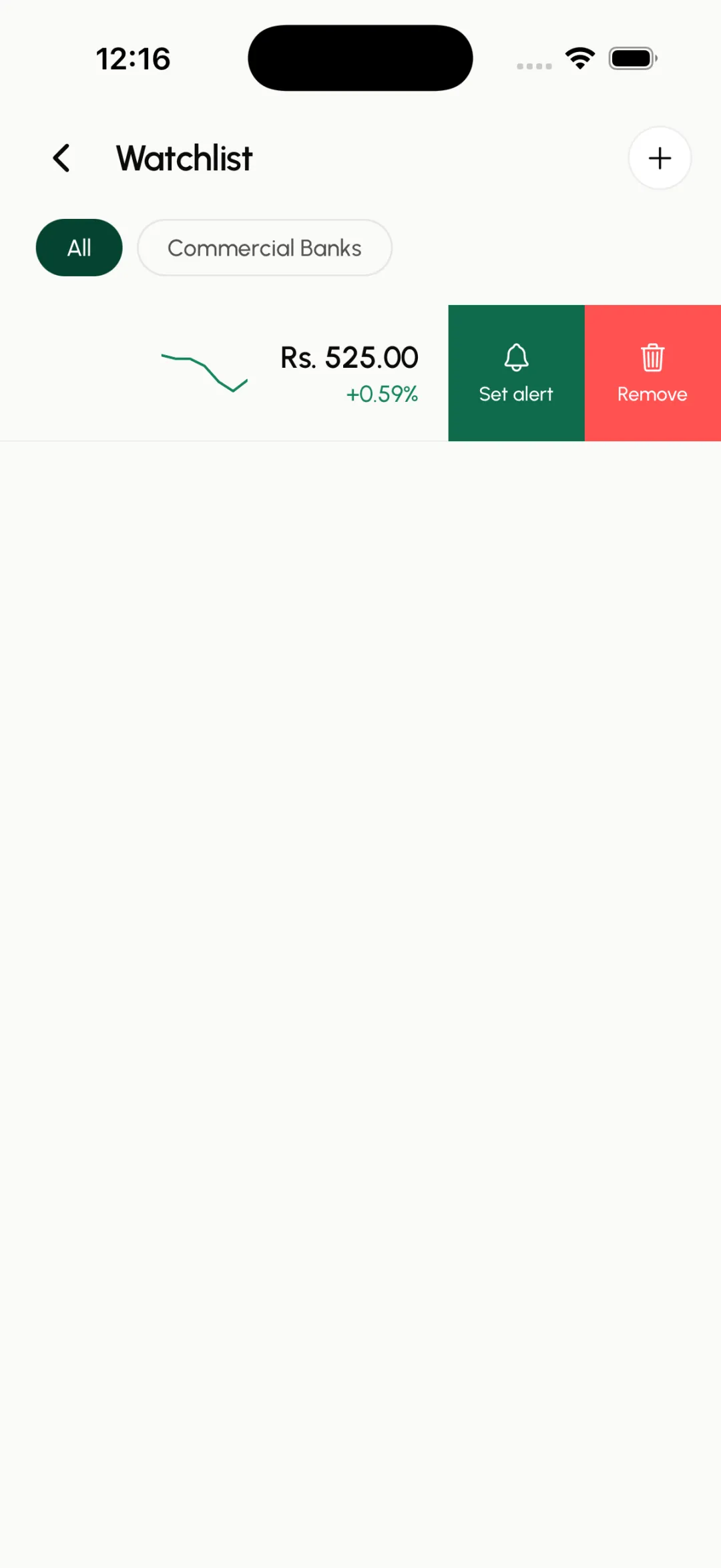
Swipe to remove
To stop watching a stock, swipe its row to the left and tap Remove. (You can also un-star it anywhere you see a filled star.)
Step 8
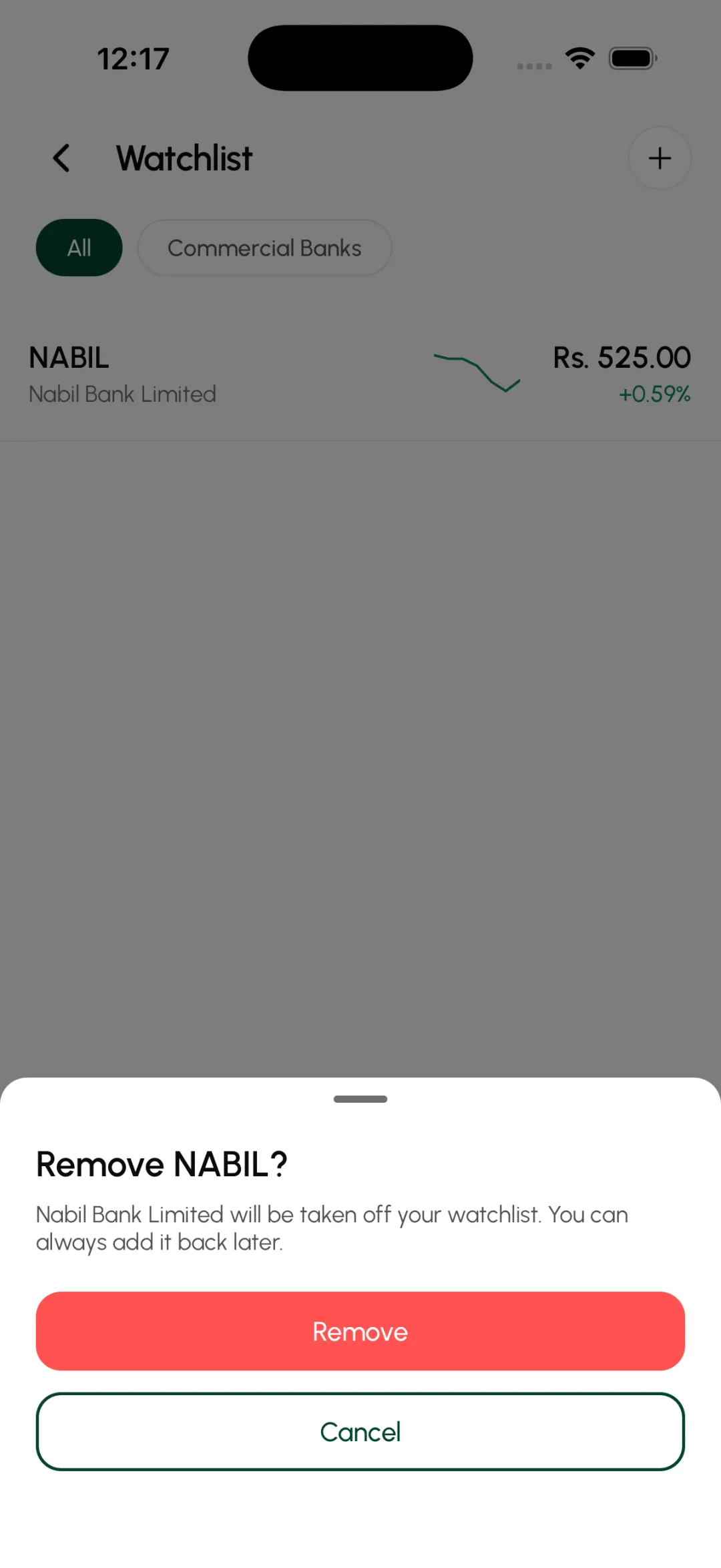
Confirm the removal
A quick confirmation appears so you never remove a stock by accident. Tap Remove and it leaves your watchlist. You can always add it back later.